Your logo goes in.
The whole guideline comes out.
Keyline measures your own artwork and writes the rules from it — ten pages, four hundred files, and not one decision taken on your behalf.
You have full control. No decision taken on your behalf.
pages, from lockups to misuse
files in the export, named consistently
code formats for colour and type
network destination the plugin may reach
All pages you need, for a professional Style Guideline
Ten pages, and the files underneath them
Every page is drawn from your artwork, and every rule on it is measured rather than assumed.
Lockups
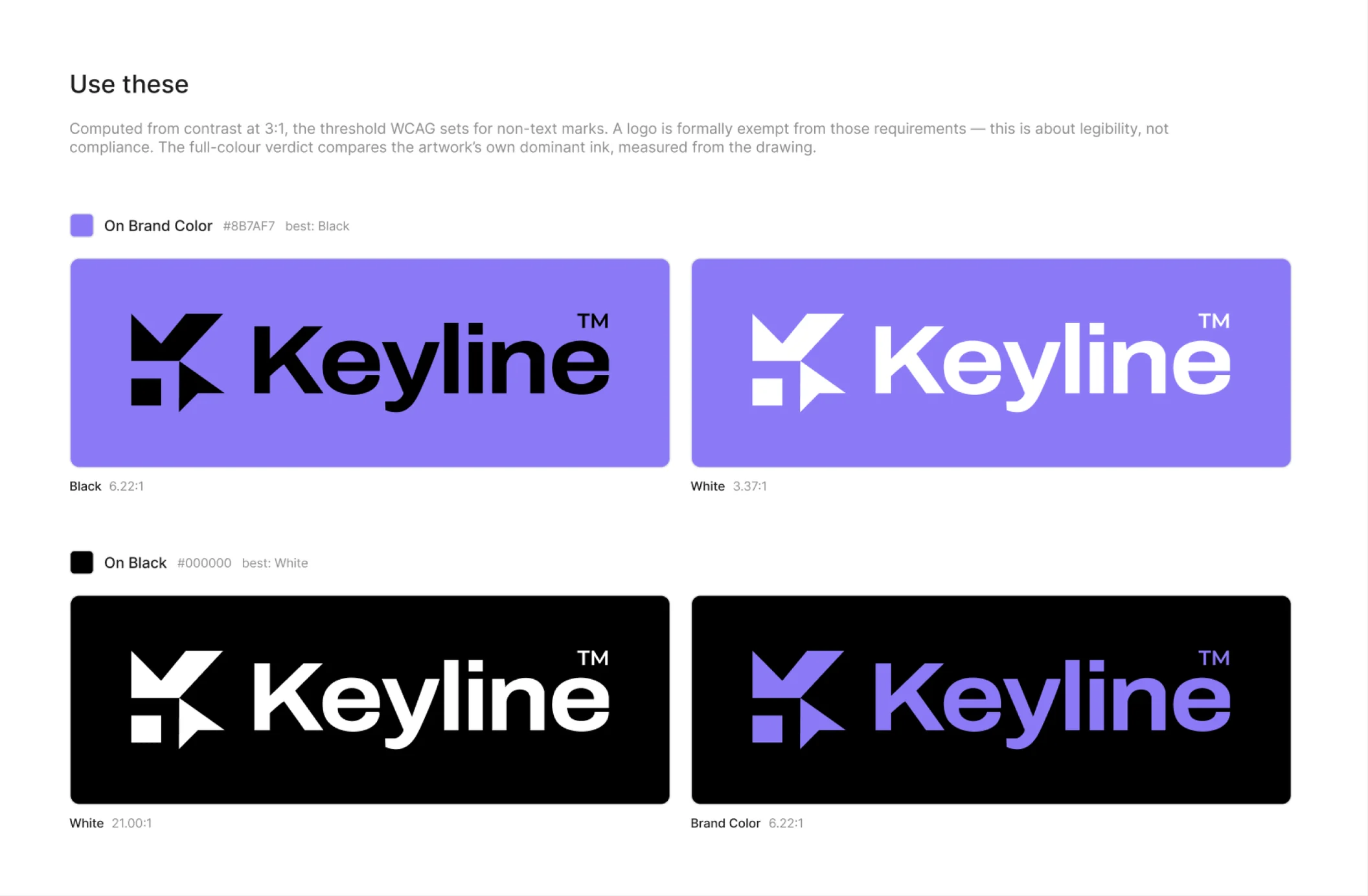
Every arrangement in every colourway, as components — so instances you place elsewhere survive a regeneration.
Colour and contrast
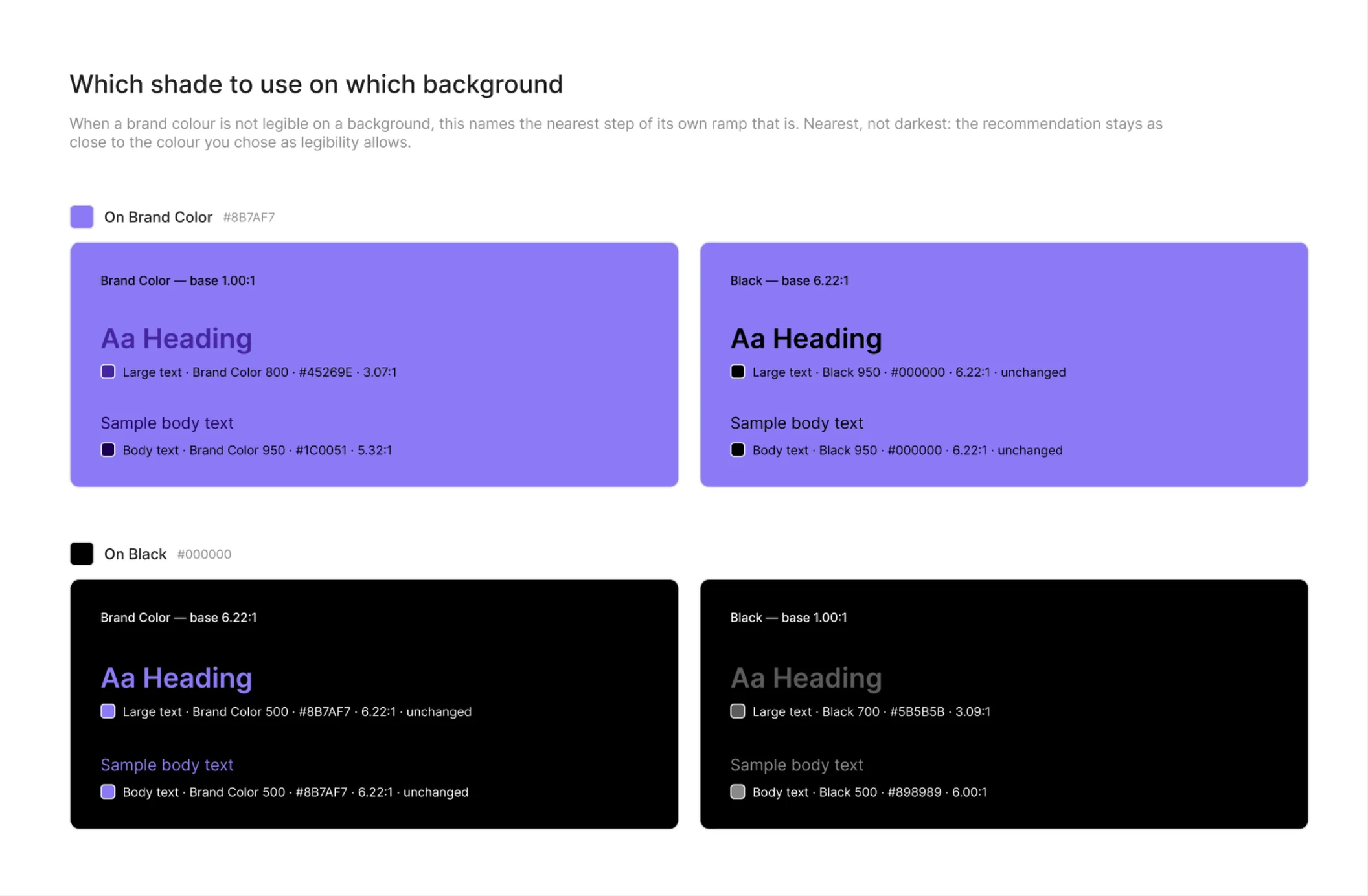
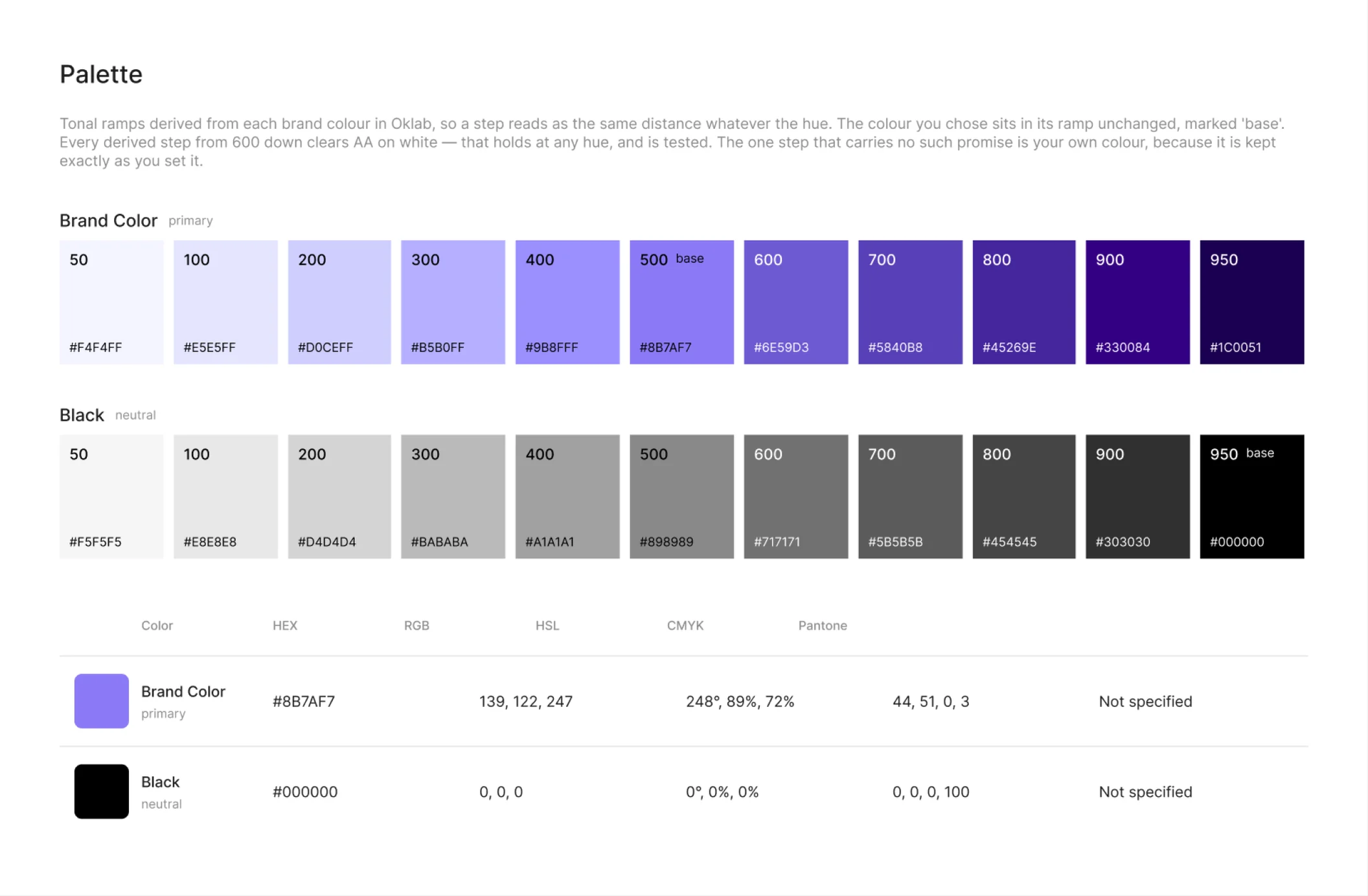
Tonal ramps in Oklab, and every colour measured against every other. The ratio is printed on the cell, and never rounded up to reach a threshold.
Clearspace and minimum size
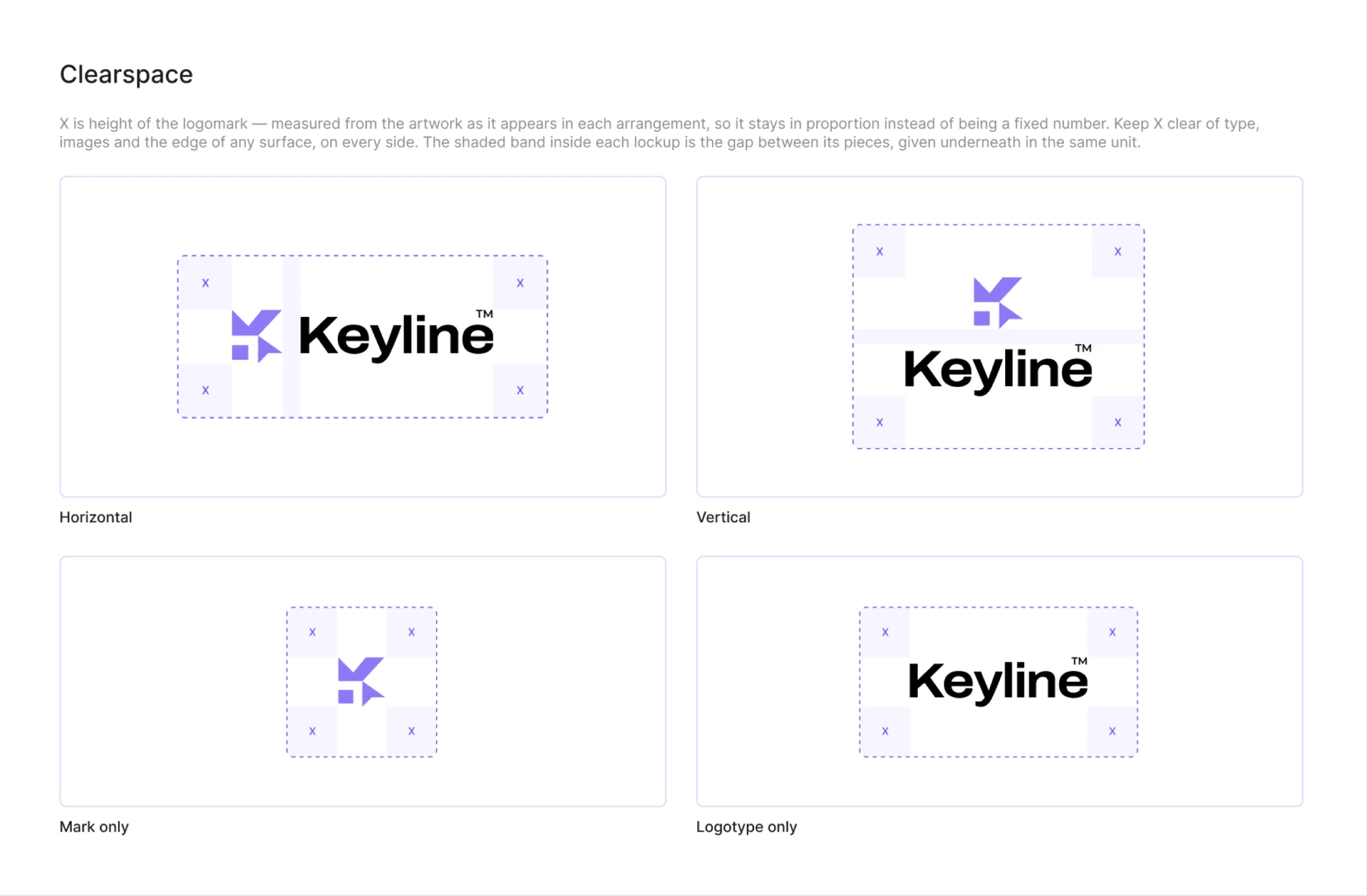
X is the height of the logomark, measured from your artwork in each arrangement — so it stays in proportion instead of being a number somebody picked.
Icons and avatars
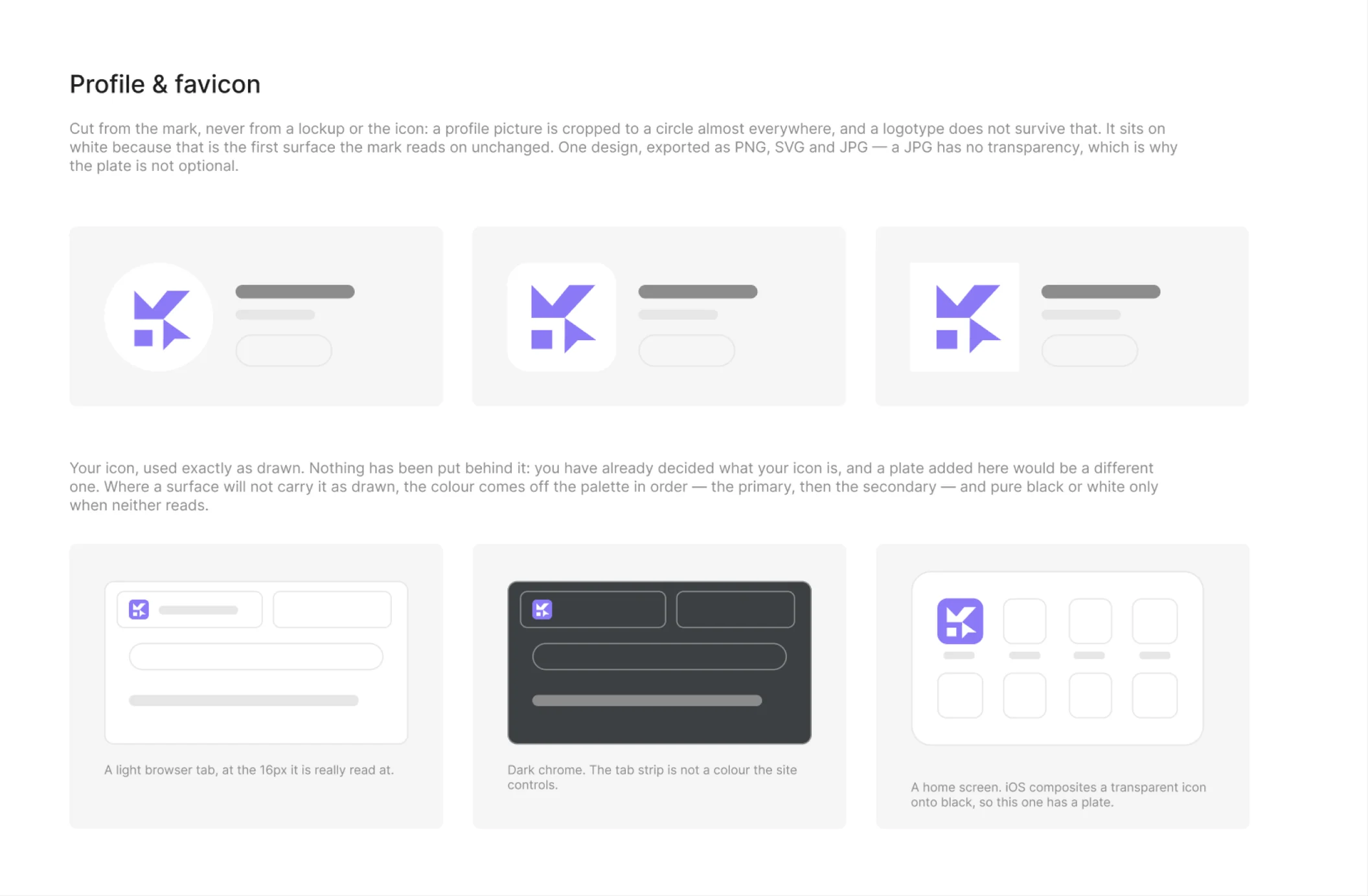
A profile picture that survives a round crop, and favicons in the set browsers actually ask for — including the one a dark tab needs.
It makes no brand decisions
Building a guideline after the identity is done is hours of mechanical work: the lockups, the one-colour versions, the clearspace page, the contrast table, the “do not do this” page, and then four hundred files named consistently enough to hand over. All of it follows rules. So it should be automatic.
Keyline executes, extends and documents your decisions. Where something has to be chosen — which logo version is allowed on which background, what a favicon falls back to when the brand colour is too dark to see — the answer is computed and the reasoning is printed beside it. Nothing is a matter of taste that you did not set.
x Keyline x = cap height
Clearspace equals the cap height of the logotype — measured off the artwork, not chosen to look right. That is the rule it applies to yours.
Nothing leaves your machine
No artwork, no colours, no fonts, no file contents, and no telemetry of any kind. Keyline's manifest permits exactly one network destination — the licence check — and Figma enforces that.
"networkAccess": {
  "allowedDomains": [
    "https://api.usekeyline.com"
  ],
  "reasoning": "Licence activation only."
}
Free to install. The free tier is real.
Lockups, the palette, the type scale and the document are free for good. A subscription adds the pages that set out rules, and the export.
Install it and keep it. No trial clock on this part.
- Lockups — every arrangement and colourway
- Colour — palette, ramps, six code formats
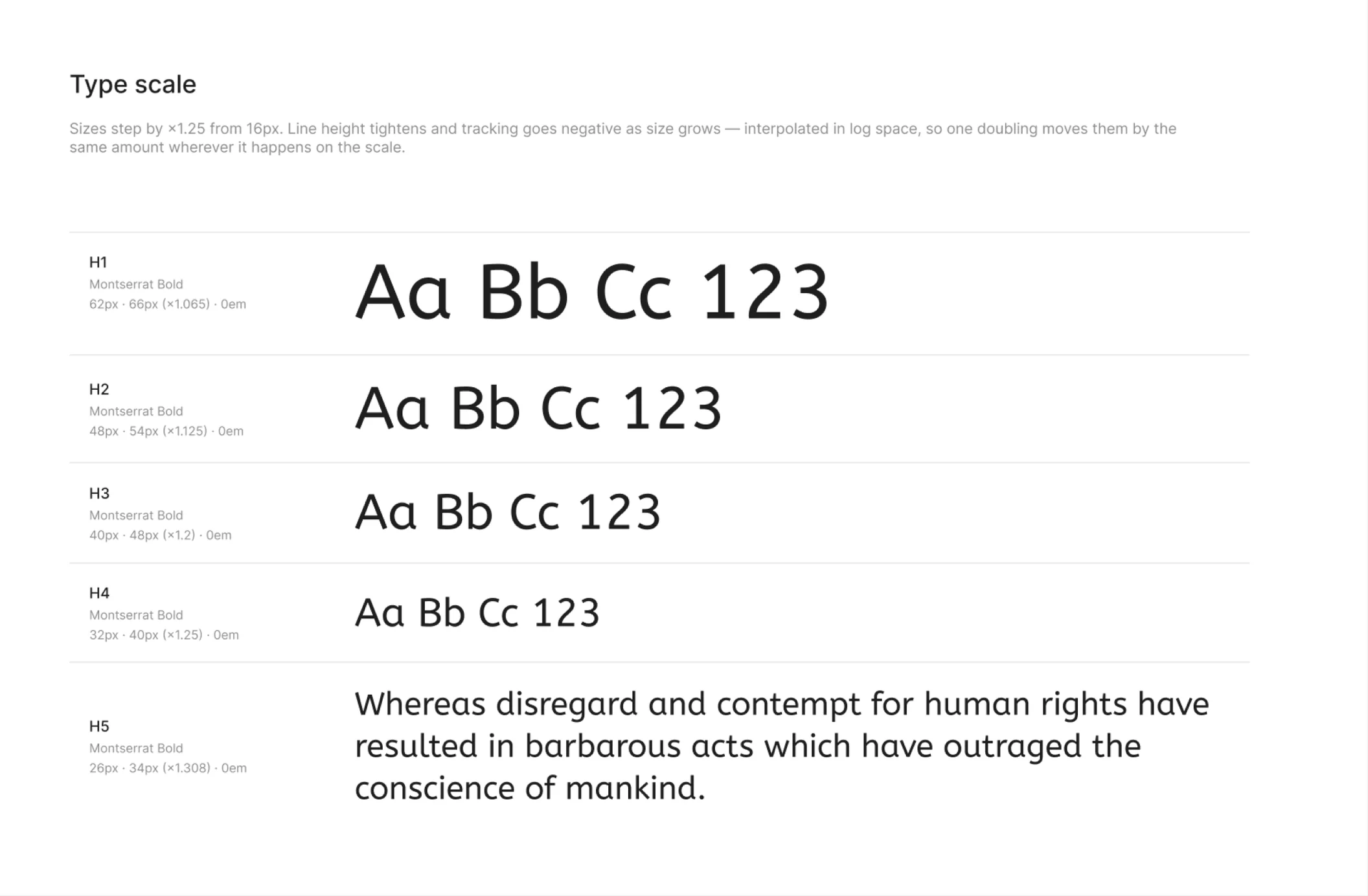
- Typography — scale, text styles, second script
- The document — cover, contents, order
One Figma account, any number of computers.
- All ten pages, not four
- The export — 400+ files
- 1 Figma account
- Move the seat, once a week
The first hundred subscribers keep this price for as long as they keep the subscription.
- All ten pages, not four
- The export — 400+ files
- 1 Figma account
- Move the seat, once a week
- Price fixed for life
Five Figma accounts, one licence.
- All ten pages, not four
- The export — 400+ files
- 5 Figma accounts
- Move seats, once a week each
Everything, once, free. Each Figma account gets one run with all ten pages and a full export, so you can see the whole thing on your own brand before deciding anything.
The ones worth asking first
Is anything watermarked?
No. Not on the free tier, not during the free run, not anywhere. A guideline with our name on it would be a guideline you could not hand to a client, which would make the free tier a demo rather than a tier.
Can I edit what it generates?
Yes, and that is the point of generating it in Figma rather than as a PDF. Colours are bound to variables, text to real styles, lockups are components. Change one and the pages that quote it follow.
Does it work for a right-to-left brand?
Yes. A second logotype and a second type scale are first-class, because a Persian and a Latin face are not the same size at the same number, and the export splits by language rather than mixing them.
Start with your own brand
Install from the Figma Community and take the free run — all ten pages and a full export, on your own artwork, before you decide anything.